Build Substance Designer graphs from a prompt
MCP Pro for Designer connects Claude Code, Cursor and other MCP clients to Adobe Substance 3D Designer. The AI creates nodes, wires them, writes FX-Maps and pixel processors, exposes parameters, looks at previews, and publishes .sbsar files. 92 tools, 13 ready-made material recipes.
bricks, then with wear + dirt.How it works
Designer has no remote-scripting port, so the product ships two parts: a Python MCP server your AI client starts, and a small Designer plugin that receives its commands.
MCP client  --stdio-->  designer-mcp (Python server)
                              |
                              |  HTTP JSON on 127.0.0.1, per-session token
                              v
             Designer plugin designer_mcp_bridge
             -> every command queued onto Designer's main thread
             -> sd Python API: packages, graphs, nodes, functions, compute, export
The plugin opens no windows and works with Designer minimized. Each mutating command is one undo step, and every command is written to an audit log. Arguments are validated before anything reaches Designer.
What the AI can do in Designer
Grouped by area. Tool names are the ones your AI client sees.
Graph building
Packages, graphs and nodes: atomic nodes and any bundled library graph, connections, properties (scalars, vectors, colors as #rrggbb, enums by label, gradient keys, curves), layout, comments and frames.
create_graph create_node create_library_node connect_nodes set_node_properties set_gradient set_curve arrange_nodes align_nodes batch_set_propertiesFX-Map 0.3
Build the inner graph of an FX-Map from a JSON spec: quadrant, switch, iterate and dot nodes, their parameters, parameter functions ($number, $depth, rand) and pattern image inputs. Specs read back in the same format.
create_fxmap set_fxmap_graph get_fxmap_graph set_fxmap_nodePixel processor and functions
Pixel processors, value processors and parameter functions written as small JSON graphs (sample, math, swizzle, rand, graph inputs), with several image inputs. They round-trip, so the AI can read and modify existing functions.
create_pixel_processor set_node_function get_node_function list_function_nodesExposed parameters and presets
Create graph inputs (float to float4, int, bool, string, color; label, group, range, visible_if), drive node parameters from them, and save, apply, export or import presets.
create_graph_input expose_node_parameter set_graph_input_values create_preset apply_preset export_presetsPublishing .sbsar
Publish a package as a Substance archive for Painter, Unreal, Unity and other hosts: compression choice, exposed output size / random seed / pixel size, embedded icon, and graph attributes (label, category, tags, author, physical size).
export_sbsar set_graph_attributes set_graph_iconBitmap export with bit depth
Export every output as PNG, JPG, TGA, TIF, EXR, BMP or HDR at 8, 16, 16f or 32f bits, in sRGB, Linear or Raw, with an engine naming pattern such as T_{graph}_{usage}. Export any single node too, and get per-channel stats with a tiling-seam check.
export_outputs export_node get_texture_stats get_node_previewLibrary search 0.3
A text index of the roughly 1000 graphs bundled with Designer (generators, noises, filters, masks, materials): search by meaning ("edge wear", "weave", "hexagon") or by parameter name, then instantiate the hit.
search_library list_library import_resource new_package_from_templateAsync jobs 0.3
Run long computes and exports in the background and poll them, so a 4K export does not hit a client timeout. Queued jobs can be cancelled; a compute that has started cannot (Designer's API has no cancel).
start_job get_job cancel_job list_jobsUndo and redo 0.3
Every mutating command is a single entry in Designer's undo history. The AI can step back with undo, and you can use Ctrl+Z as usual; the history is shared with your own edits.
undo redo get_selection open_graph_in_editorvalidate_graph
Computes and lints a graph: unconnected outputs, outputs without a usage, dangling nodes, and a Designer pitfall where a grayscale image on a color Blend's foreground silently disappears. fix=true inserts the missing gray-to-color conversion.
validate_graph find_nodes get_audit_logRecipes with wear and dirt
One call builds a full PBR graph (baseColor, normal, roughness, metallic, height, ambientOcclusion) with key parameters exposed. Every recipe takes wear (chipped or polished edges) and dirt (grime in the cavities). About 4 to 6 seconds at 512 px on the development machine.
list_recipes build_material_from_recipeSees what it builds
get_node_preview returns a node's output to the model as a PNG image (size-capped), so the AI can check its work and adjust parameters instead of working blind.
get_node_preview compute_graph get_node_infoRecipe gallery
The 13 recipes in 0.3.0, rendered in Designer 16.0.7 (base color). Toggle or hover to see the same recipe with the wear and dirt layers turned on.
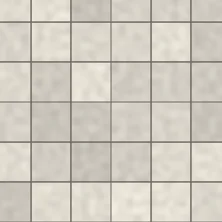

tilesCeramic tiles with grout, per-tile tint, soft bevels

bricksRunning-bond brick wall with mortar and color variation

wood_planksStaggered floor planks with warped grain and dark gaps

metal_platesRiveted metal plates with seams, scratches and grime

rock_groundCellular stones in dirt, high roughness

concreteMottled cement, pores, trowel ripples, hairline cracks, stains

fabricWoven warp / weft threads in two colors

hex_tilesHexagonal tiles with grout and per-tile tint
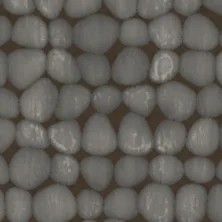
cobblestoneRounded cobblestones set in dirt
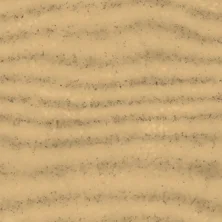
sandWind-rippled sand (pixel-processor ripples)

scalesOverlapping scales, built with an FX-Map

leatherPebbled grain with creases and pores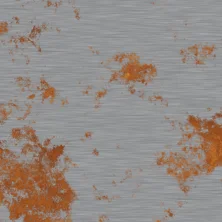
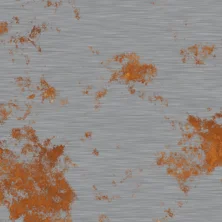
rusted_metalBare metal eaten by rust patchesEach recipe is a starting point, not a black box: the graph is ordinary Designer nodes, and parameters such as counts, colors, roughness and seed are validated and listed by list_recipes. Guide: building a material from a prompt.
Demo
Screen recordings of the AI building materials in Designer.
Tool modes
One server, four tool sets. Smaller modes keep the context small and stay under the tool caps some clients have (about 100 tools across all servers).
| Mode | Tools | For |
|---|---|---|
minimal | 22 | Build, preview and export, plus recipes, undo and library search. Smallest context. |
lite | 61 | Everyday editing: FX-Maps, jobs, batch edits, inputs and presets. For clients with tool caps. |
default | 91 | Everything except plugin-development tools. The default. |
full | 92 | Adds reload_bridge for plugin development. |
--no-execute-arbitrary removes execute_python from any mode.
Supported clients
Any MCP client that can start a local stdio server. Configs for the first three are in the install guide.
claude mcp add designer -- <path>/designer-mcp.exe~/.cursor/mcp.json or a project .cursor/mcp.jsonclaude_desktop_config.jsonInstall outline
About ten minutes. Full instructions ship as INSTALL.md in the download; the setup guide walks through it.
Install the MCP server (Python 3.10+)
python -m venv .venv
.venv\Scripts\pip install .
Install the Designer plugin and restart Designer
powershell -ExecutionPolicy Bypass -File scripts\install_plugin.ps1Or use Tools > Plugin Manager > Browse and pick designer_mcp_bridge\pluginInfo.json.
Check the connection
.venv\Scripts\designer-cli statusRegister the server with your AI client
claude mcp add designer -- D:/tools/mcp-pro-for-designer/.venv/Scripts/designer-mcp.exe --mode defaultRequirements: Adobe Substance 3D Designer 14.1+ (verified on 16.0.7, Windows 11) and Python 3.10+.
Early Access: what to expect
- Version 0.3.0, live-verified on Substance 3D Designer 16.0.7 on Windows 11.
- macOS is untested in Early Access. The server is plain Python and the plugin is a standard Designer plugin, but nothing has been run end to end on a Mac yet. Linux is untested too.
- A compute that has already started cannot be interrupted (Designer's API has no cancel); only queued jobs can be cancelled.
- Undo and redo walk Designer's global history, shared with your own edits; history entries cannot be listed.
- MDL graphs are not available through the Designer 16 Python API.
- All later updates are free for buyers.
FAQ
What is MCP Pro for Designer?
.sbsar files. Version 0.3.0 has 92 tools.Does the AI generate images, or real Designer graphs?
.sbs package you can open, read and edit by hand. Nothing is painted or generated by an image model.Which Designer versions and operating systems are supported?
Why does it need a plugin inside Designer?
designer_mcp_bridge plugin starts a localhost-only HTTP server inside Designer and runs every command on Designer's main thread. It opens no windows and works with Designer minimized.Which AI clients work?
--mode lite (61 tools) or --mode minimal (22).Can I undo what the AI did?
undo / redo itself. The history is Designer's global one, shared with your own edits.Is it safe to run?
execute_python can be removed with --no-execute-arbitrary or disabled on the Designer side in config.json. The server sends nothing to the internet; your AI client talks to its own model provider as usual.What does Early Access mean here?
How much is it, and is there a subscription?
Guides
Step-by-step articles. All guides
Buy once on itch.io. Every later update is included.
Buy MCP Pro for Designer- MCP server with 92 tools and four modes
- Designer plugin (
designer_mcp_bridge) - 13 material recipes with wear and dirt layers
designer-clifor terminal use- Example scripts and full install guide
- Free updates; license terms are in the download